Gluten Free Meal Planning App with Shopping List: Simplify Dinner for Your Family
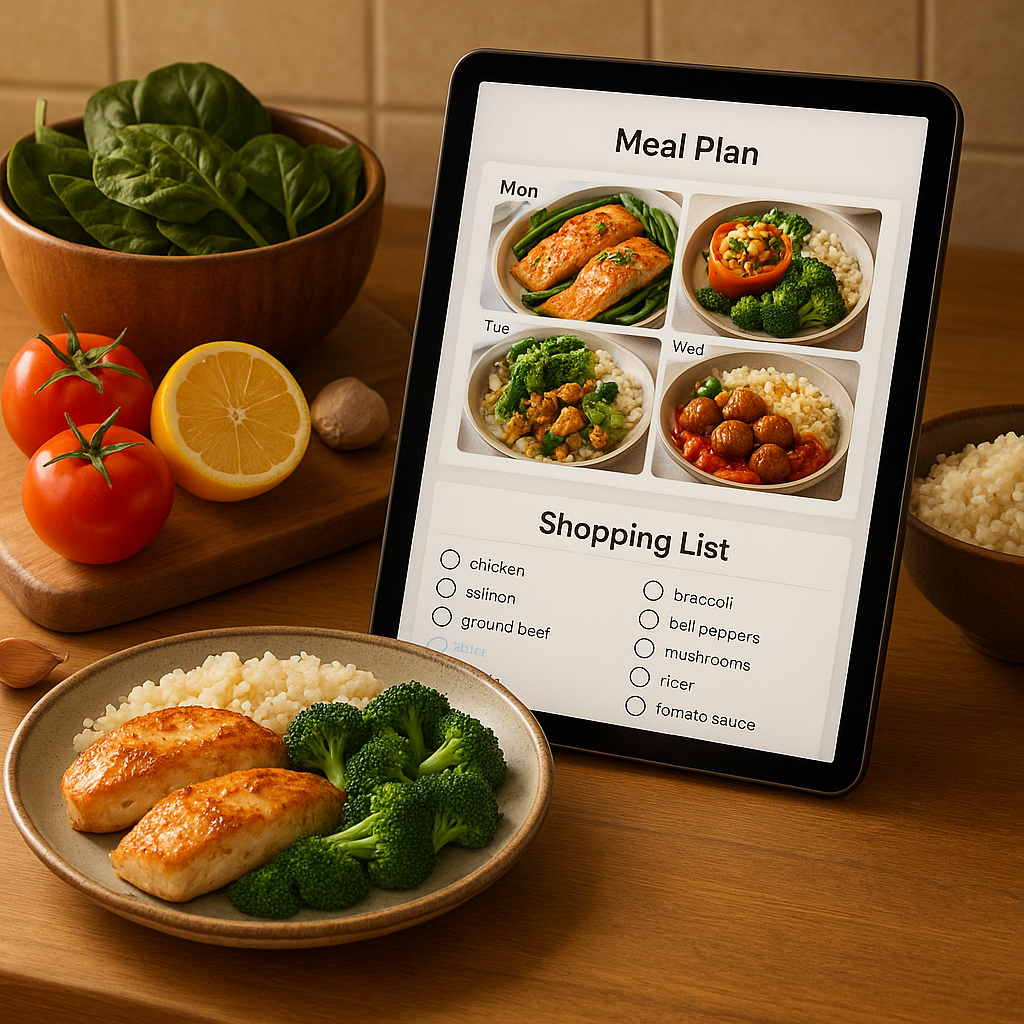
The best gluten free meal planning app with shopping list is one that lets you filter recipes by dietary needs, combine ingredients across meals, and produce a single organized list. YumPlanner does exactly that, offering a dedicated gluten-free filter and an auto-generated shopping list so you can spend less time planning and more time eating together.
If you are tired of juggling cookbooks, reading labels, and making extra trips to the store, an app built for this can change your week. We built YumPlanner to help busy families get dinner on the table without the headache.
Table of Contents
- What Is the Best Gluten Free Meal Planning App with Shopping List?
- Why Families Need a Dedicated Gluten-Free Family Meal Planner App
- How YumPlanner Filters Gluten-Free Recipes for Your Family
- From Recipes to Shopping List: The Automatic Workflow
- Real-World Results: What Families Experience with YumPlanner
- What Most Gluten-Free Families Get Wrong About Meal Planning Apps
- YumPlanner vs. Other Gluten-Free Meal Planning Options (2026 Comparison)
- Industry Benchmark: What Nutrition Authorities Recommend for Gluten-Free Planning
- How to Get Started with YumPlanner for Gluten-Free Family Meals
- Frequently Asked Questions About Gluten-Free Meal Planning Apps
What Is the Best Gluten Free Meal Planning App with Shopping List?
When you search for a gluten free meal planning app with shopping list, you want an app that does three things well: filters recipes properly, combines ingredients so you buy the right amounts, and works for the whole family. YumPlanner checks all three boxes.
We give you hundreds of family-friendly recipes. You can filter by dietary need, including gluten-free, and then drag and drop meals into your weekly plan. Once your week is set, we generate a combined shopping list automatically. No double-buying, no forgotten items.
The app is free to start, no credit card needed. That means you can try it right now.
Why Families Need a Dedicated Gluten-Free Family Meal Planner App
Planning gluten-free meals for a family is harder than it looks. You have to check every label, avoid cross-contamination, and still make food that everyone will eat. A gluten free family meal planner app can take the mental load off.
Celiac disease affects about 1 in 100 people worldwide per Wikipedia. Many more choose a gluten-free diet for sensitivity or other reasons. When multiple family members have different needs, the planning gets even more complex.
A dedicated app helps you:
- Keep a separate list of safe ingredients.
- See which recipes are truly gluten-free at a glance.
- Plan variety without accidentally repeating the same meals.
- Include everyone in the process so picky eaters see their choices.
Without a planner, you end up flipping through notes, checking your phone, and still missing something. With YumPlanner, the whole plan lives in one place. You can even share it with your spouse or older kids.
What makes gluten-free meal planning so challenging?
Many families tell us the hardest part is the research. You can spend an hour just finding three recipes that are gluten-free and that your kids will eat. Then you have to figure out how much of each ingredient to buy when multiple recipes use the same thing.
Cross-contamination is another worry. Some apps list "gluten-free" recipes but don't check for hidden gluten in sauces or condiments. We make sure our filter is curated, and you can always add your own trusted recipes too.
How YumPlanner Filters Gluten-Free Recipes for Your Family
Our filter gluten free recipes app feature is simple. We built it so you don't have to second-guess every ingredient.
Here is the step-by-step process:
- Browse our recipe library. You will find hundreds of family-friendly options. We add new ones regularly.
- Use the dietary filter. Tap or click "gluten-free" and the list updates instantly. Only safe recipes appear.
- Drag and drop your week. Place the meals you want into your plan. Or let our AI suggest a full week for you.
- Add your own custom recipes. If you have a favorite gluten-free dish, you can add it to your collection and it will also be included in the filter.
- Review your combined shopping list. We automatically tally all ingredients and remove duplicates.
The filter works for other needs too, like vegetarian, nut-free, or dairy-free. So if your family has multiple restrictions, you can layer the filters.
Can beginners use this filter?
Yes. The interface is designed for parents who are already busy. You do not need any tech skills. Our drag-and-drop weekly meal planning makes the whole process visual and fast.
From Recipes to Shopping List: The Automatic Workflow
The real time-saver is our auto grocery list gluten free feature. Once you have chosen your meals, we do the math for you.
Here is how it works: Say you pick three recipes that all call for chicken, rice, and broccoli. Instead of writing "chicken" three times on your list, we combine the quantities. If two recipes need 1 cup of rice each, your list says "2 cups rice."
We also organize the list by category, produce, meat, dairy, pantry, so you can shop the store in order. No running back and forth.
This means you do not accidentally buy extra stuff you already have at home. And you never get to Wednesday night only to realize you forgot a key ingredient.
The workflow is automatic, but you can still edit it. If you have leftover roasted peppers and want to cross them off, go ahead. The list updates as you go.
How does YumPlanner create an auto grocery list gluten free?
When you add a gluten-free recipe to your plan, we break down every ingredient. Then we match the same ingredient across all your chosen recipes and sum the amounts. We also flag potential issues if a recipe calls for a small amount of an item that might not be available in that size.
The result is one clean list. You can view it on your phone at the store or print it for the fridge.
Real-World Results: What Families Experience with YumPlanner
We consistently hear from families that the first week using YumPlanner cuts their planning time in half. Many say they used to spend two hours on Sunday figuring out what to cook. Now it takes them under 15 minutes.
A gluten free meal planning app with shopping list like ours also reduces food waste. When you buy only the exact amounts you need, less food spoils. One study found that nutrition smartphone applications can positively affect parents’ grocery shopping and meal planning behaviors per Bertram et al.. That matches what we see.
Parents also tell us they feel less stress at 6 pm. Dinner is already decided. They just look at the plan, grab the ingredients, and cook.
What results can you expect from a gluten free meal planning app with shopping list?
You can expect:
- Fewer trips to the store each week.
- Less time scrolling for recipes.
- More variety in your meals.
- Actual family involvement, kids can choose meals and earn cooking achievements.
- Confidence that every meal is safe for gluten-free family members.
Our family collaboration and cooking achievements make planning fun for kids too.
What Most Gluten-Free Families Get Wrong About Meal Planning Apps
Even with a good app, some families make mistakes that undo the benefits. Here are four common ones we see.
1. Assuming all "gluten-free" recipes are safe
Not every app verifies its gluten-free labels. Some just tag a recipe based on the title. We curate our filter, but we still recommend checking the ingredient list for hidden sources like soy sauce or malt vinegar. Our add your own custom recipes feature lets you import versions you have already tested.
2. Forgetting to plan for leftovers
Many families cook gluten-free meals and then throw away leftovers because they forgot to pack them for lunch. Our drag-and-drop planner makes it easy to schedule a "use leftovers" day or double a recipe so you have lunch for tomorrow.
3. Not involving the family
When you plan alone, you risk making food the kids will reject. With YumPlanner, you can invite each family member to suggest meals. Kids love earning cooking achievements for their completed plans. That buy-in means less fighting at dinner time.
4. Ignoring the combined shopping list
Some people plan meals but still write a separate list by hand. That defeats the purpose. Trust the automatic combined shopping list. It already combines everything. Just take it to the store.
YumPlanner vs. Other Gluten-Free Meal Planning Options (2026 Comparison)
We are not the only option out there. But we think our combination of gluten-free filtering, automatic shopping lists, and family features makes us the best gluten free meal planner 2026 for families.
Here is a comparison table.
| Feature | YumPlanner | Eat This Much | Real Plans | Manual Planning |
|---|---|---|---|---|
| Gluten-free recipe filter | Yes, with curated filtering | Yes, with ingredient transparency | Yes, with 750+ gluten-free recipes | No, you check every recipe yourself |
| Automatic shopping list | Yes, combines all ingredients | Yes, integrates with delivery services | Yes, custom lists | No, you write it by hand |
| Family collaboration | Yes, with cooking achievements | No | Limited | No, you plan alone |
| AI-powered meal suggestions | Yes, with dietary filter | Yes, but limited family focus | Yes, but less precise | No |
| Custom recipe addition | Yes, add your own | No | Yes | Yes, but manually |
| Pricing | Free, no credit card required | Paid subscription | Paid subscription | Free but time costs |
| Category | YumPlanner | Generic Recipe App | Paper and Pen |
|---|---|---|---|
| Dietary filtering | Covers gluten-free, nut-free, vegetarian, etc. | May have basic filters or none at all | You read every label |
| Ingredient combining | Done for you | You do it yourself | You do it yourself |
| Learning curve | Low, drag, drop, done | Medium, each app is different | High, you have to organize everything |
| Updates and new recipes | Regular additions | Varies | Only when you find a new cookbook |
As you can see, YumPlanner covers the most important features for families while staying free to start.
Industry Benchmark: What Nutrition Authorities Recommend for Gluten-Free Planning
The NHS recommends that people with coeliac disease base their diet on naturally gluten-free foods and check labels carefully per NHS. An app that simplifies this process can help families stick to those guidelines.
Some meal planning apps focus only on recipes. But the most helpful tools combine safe recipe discovery with an organized shopping list. Research shows that smartphone apps can improve dietary behaviors by making planning easier per Peng et al..
The YumPlanner gluten free filter is designed to support these recommendations. You can quickly see which meals are safe without reading every ingredient card.
Do nutrition experts recommend using a filter gluten free recipes app?
Yes. Any tool that reduces the mental load of reading labels and checking for hidden gluten can be useful. An app like YumPlanner that also provides an automatic shopping list helps families buy the right ingredients and avoid cross-contamination of pantry staples.
We are not a replacement for medical advice. But we can help you apply dietary guidelines in a practical, daily way.
How to Get Started with YumPlanner for Gluten-Free Family Meals
Getting started is quick. Dinner is already decided.
- Sign up for free. Go to YumPlanner.com. No credit card required.
- Choose your recipes. Browse our library or use the gluten-free filter to see only safe meals.
- Plan your week. Drag and drop meals into the calendar. Or let our AI-powered automatic meal selection build a week for you based on gluten-free preferences.
- Review your shopping list. It is already combined and categorized. Edit if needed.
- Invite your family. Each member can suggest meals and earn cooking achievements.
- Shop and cook. Follow your plan all week. No stress at 6 pm.
If you have favorite gluten-free recipes from family or cookbooks, add them as custom recipes. They will appear in your filter just like our other recipes.
Start now and see how much time you save on the first Sunday of planning.
Frequently Asked Questions About Gluten-Free Meal Planning Apps
Can a gluten free meal planning app help with cross-contamination?
Yes, an app can help by clearly identifying gluten-free recipes and ingredients. With YumPlanner, you can also add notes to recipes reminding yourself about cross-contamination steps, like using separate cutting boards or toasters. The shopping list can include notes to buy separate items if needed.
Are the recipes in YumPlanner verified gluten-free?
We curate our gluten-free recipe filter to include only recipes that are made with naturally gluten-free ingredients. However, we always recommend you check the ingredient list for any personal concerns. You can also upload your own verified recipes to be extra safe.
Can I add my own gluten-free recipes to YumPlanner?
Yes. You can add your own custom recipes easily. Once added, they appear in your filter just like our built-in recipes. This is great for family favorites that you already trust.
Does YumPlanner work for families with multiple dietary needs?
Yes. You can layer filters for gluten-free, nut-free, vegetarian, and more. Each family member can have a profile with their own preferences. The AI will suggest meals that meet everyone's needs when possible.
Is YumPlanner really free?
Yes. Our free plan gives you full access to planning features and the shopping list. There is no credit card required. We believe everyone should be able to plan meals without a subscription.
How does the shopping list handle gluten-free specific brands?
Our list uses ingredient names (like "gluten-free pasta" or "tamari") rather than specific brands. You can add brand notes as custom items if you prefer a particular brand. The combine feature works across all ingredient entries.
Can I share meal plans with my spouse or kids?
Yes. Each family member can log in and see the plan. They can suggest recipes for the next week and earn cooking